
RFI & Document Management
Link RFIs to document types, auto-sync estate RFIs, and handle document lifecycle
Overview
Requests for Information (RFIs) and document management are tightly linked in the ordering workflow. This feature group addresses gaps where RFIs and documents don't stay in sync, where document types aren't linked to RFI items, and where estate RFIs fail to auto-populate.
Business Value
When RFIs and documents are disconnected, staff waste time manually matching documents to requests and checking whether submissions are complete. Auto-linking and auto-syncing these elements removes manual reconciliation and reduces the risk of missed documents that delay order processing.
Features
RFI-Document Type Linking
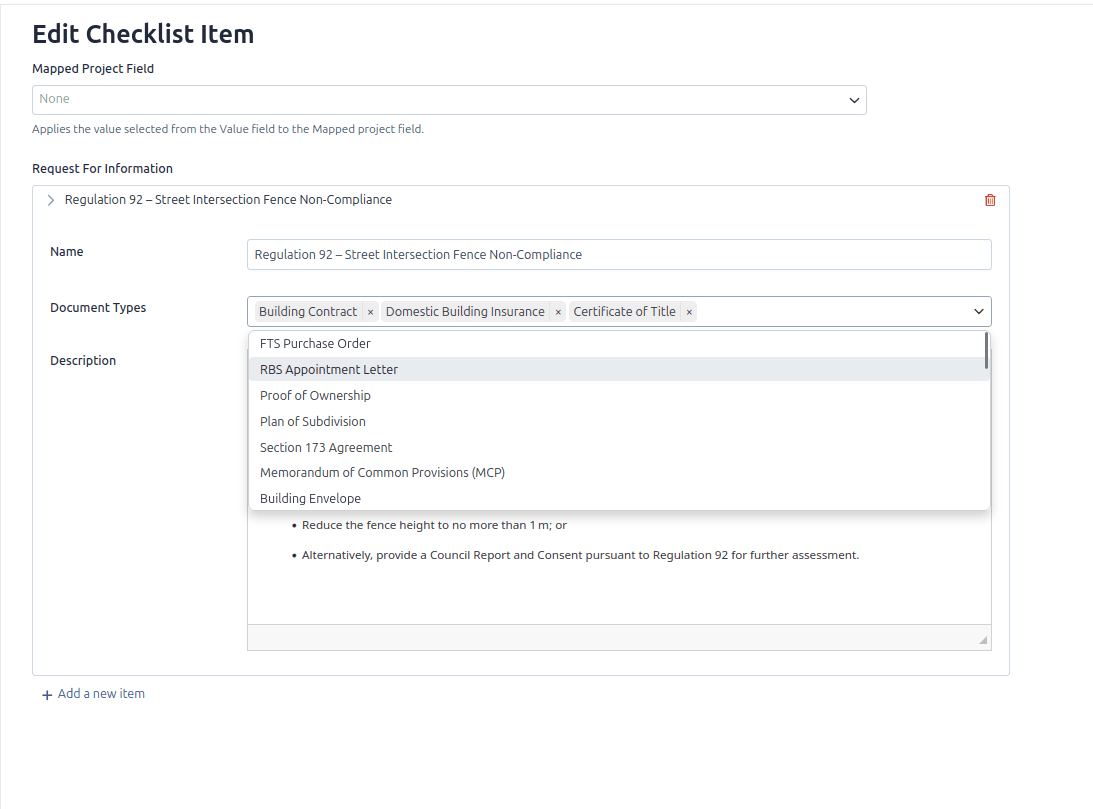
RFI items must be linked to a document type. Enable functionality that allows document types to be associated with an RFI, so users can drag and drop relevant documents directly into the RFI and submit them for review.
This enhancement should remove the requirement to separately upload a document and manually select "Ready to Review" for the RFI.
Dynamic Document Completion
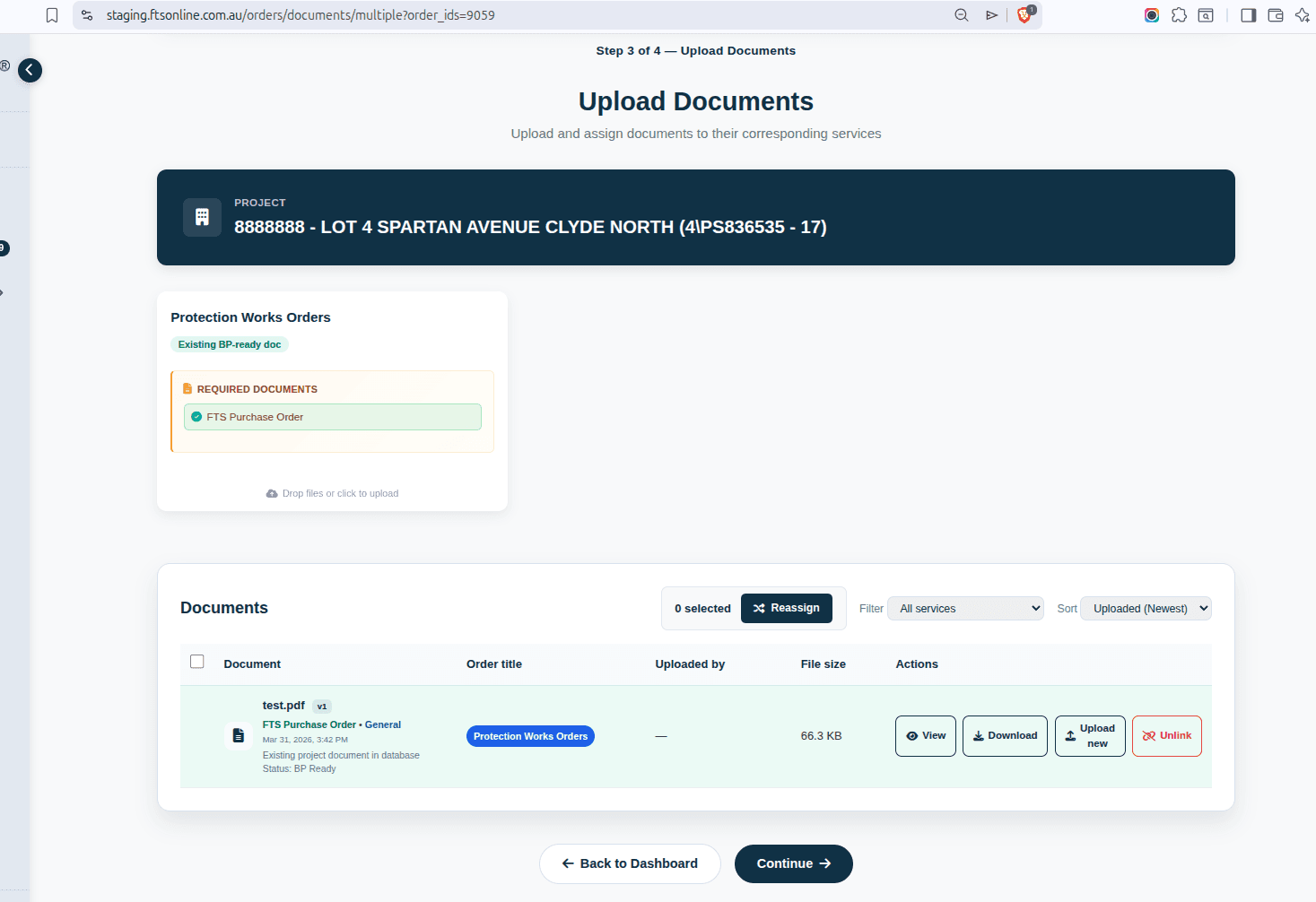
Required and optional documents should dynamically link to documents already uploaded as the project progresses through different orders. Where documents have already been provided and are BP-Ready, they should automatically be marked as complete (green).
This prevents staff from having to re-request documents that were already submitted in a previous order for the same project.
Estate RFI Auto-Sync
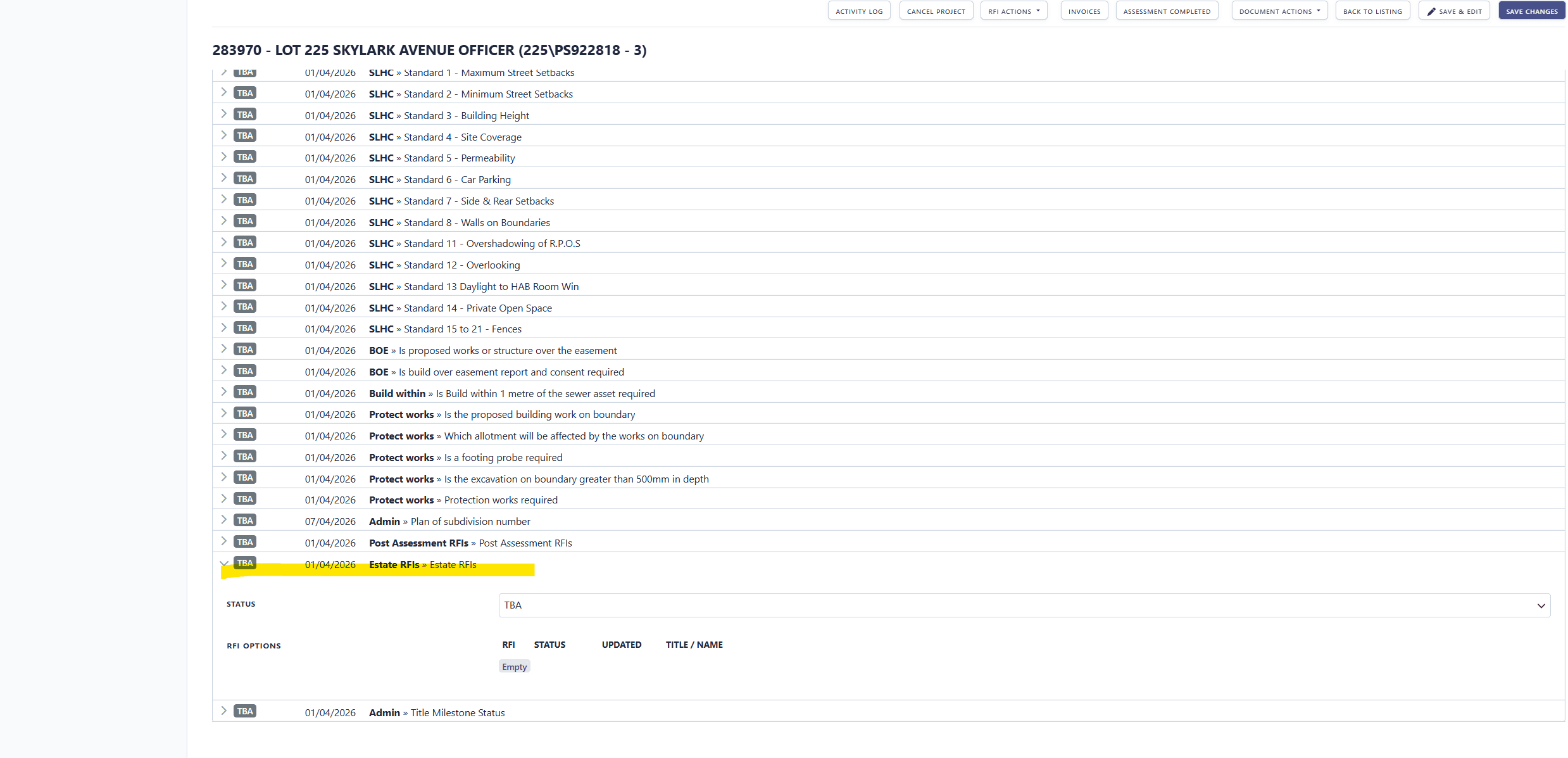
Projects that should already have estate RFI items are frequently missing them, requiring manual sync. When a project is associated with an estate that has RFI items, those items should appear automatically without manual intervention.
RFI Duplication Handling
When RFIs are duplicated, the corresponding checklist items should automatically update to reflect the new status. Currently duplication creates orphaned checklist references.
Source
- Trello: #114 RFI items linked to document type (Doing - Development)
- Trello: #115 Required and optional documents (Code Review)
- Trello: Estate RFI auto-sync (Code Review)
- Trello: RFI Duplication (INBOX)